Your phone is light pollution.
Hold STATE and the apps you choose fall asleep. Only a tap of your key wakes them.
2h 14m today
STATE.
Free until 22:30
0m
in state since now
1 urge let pass
6 days in a row.
Tomorrow completes the Little Dipper.
7 days in a row.
Ursa Minor joins your sky
Doom scroll apps
8 apps awake
or tap your key
Try it: press and hold the button.
Every app blocker has an off switch. It's in your hand.
It lives in the same phone you're trying to put down, one tap away. The State Club moves the off switch into a key, and you leave the key in another room.
Your apps stay asleep until you get up and walk to it. Most of the time, you won't.
How it works
1 Hold to enter state.
Pick the apps that take your time. Hold the button and night falls in the glass: those apps are asleep, and everything else keeps working.
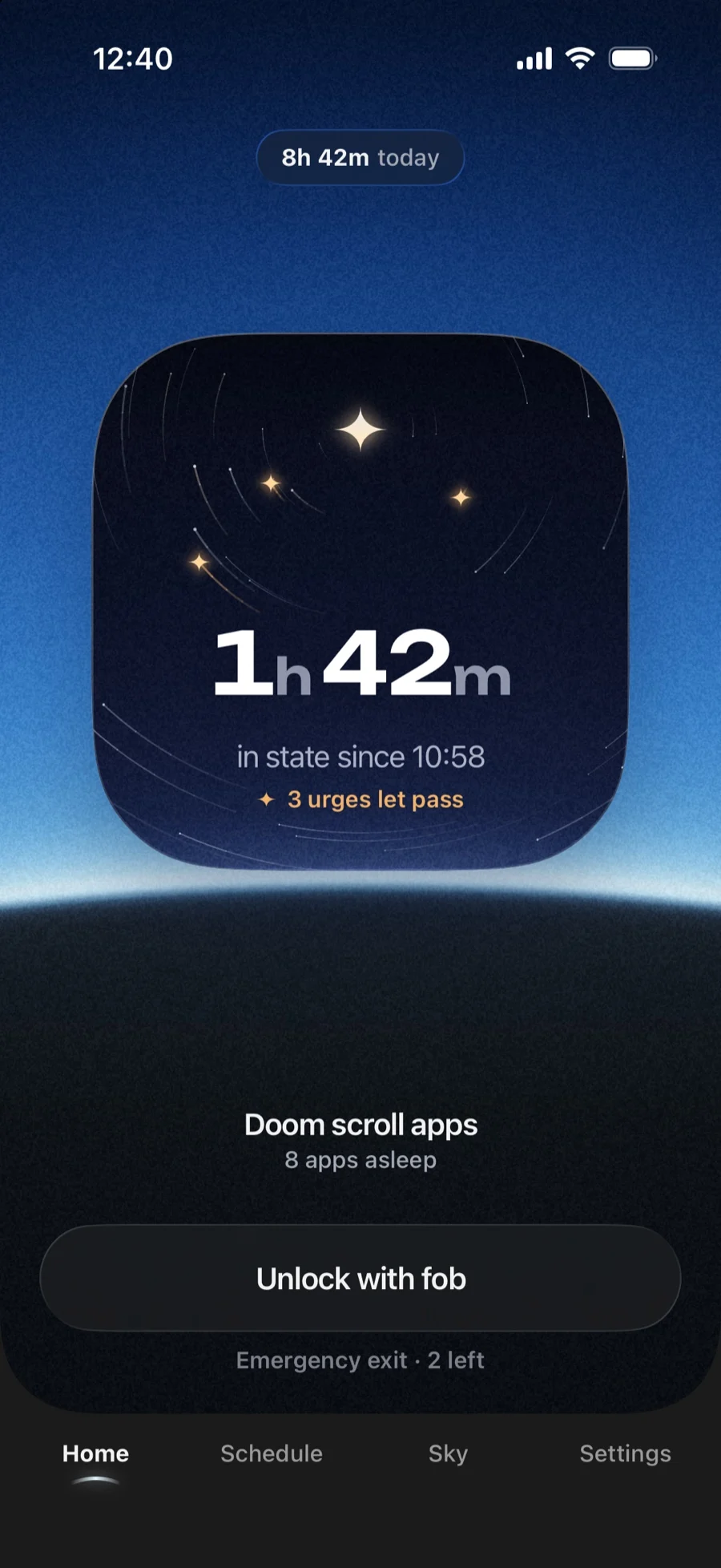
2 Let the urge pass.
Open one out of habit and it's asleep. Tap Let it pass, and that urge becomes a star in your sky.
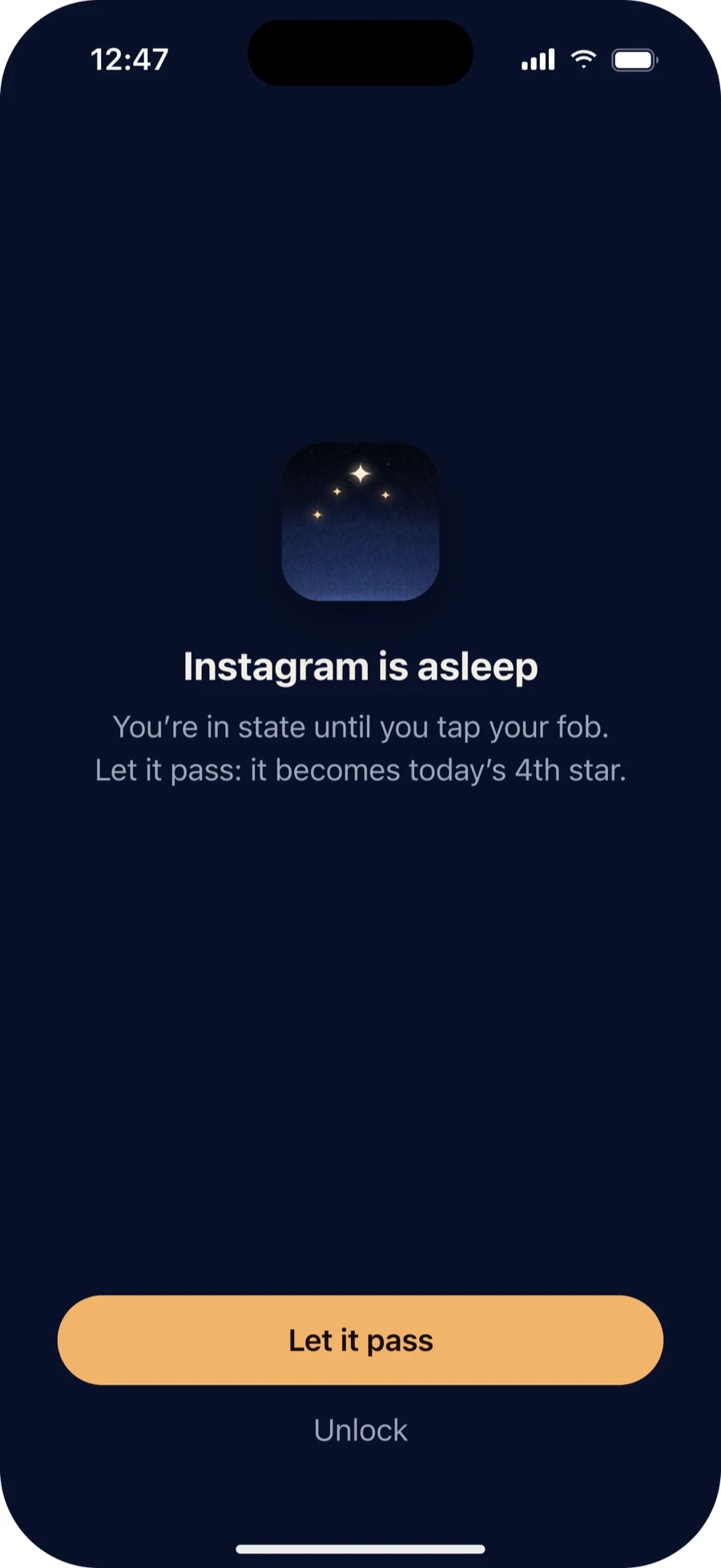
3 Tap your key to wake them.
Walk to your key and hold it to the top of your iPhone. Dawn breaks in the glass, and the stars you kept join into a figure.
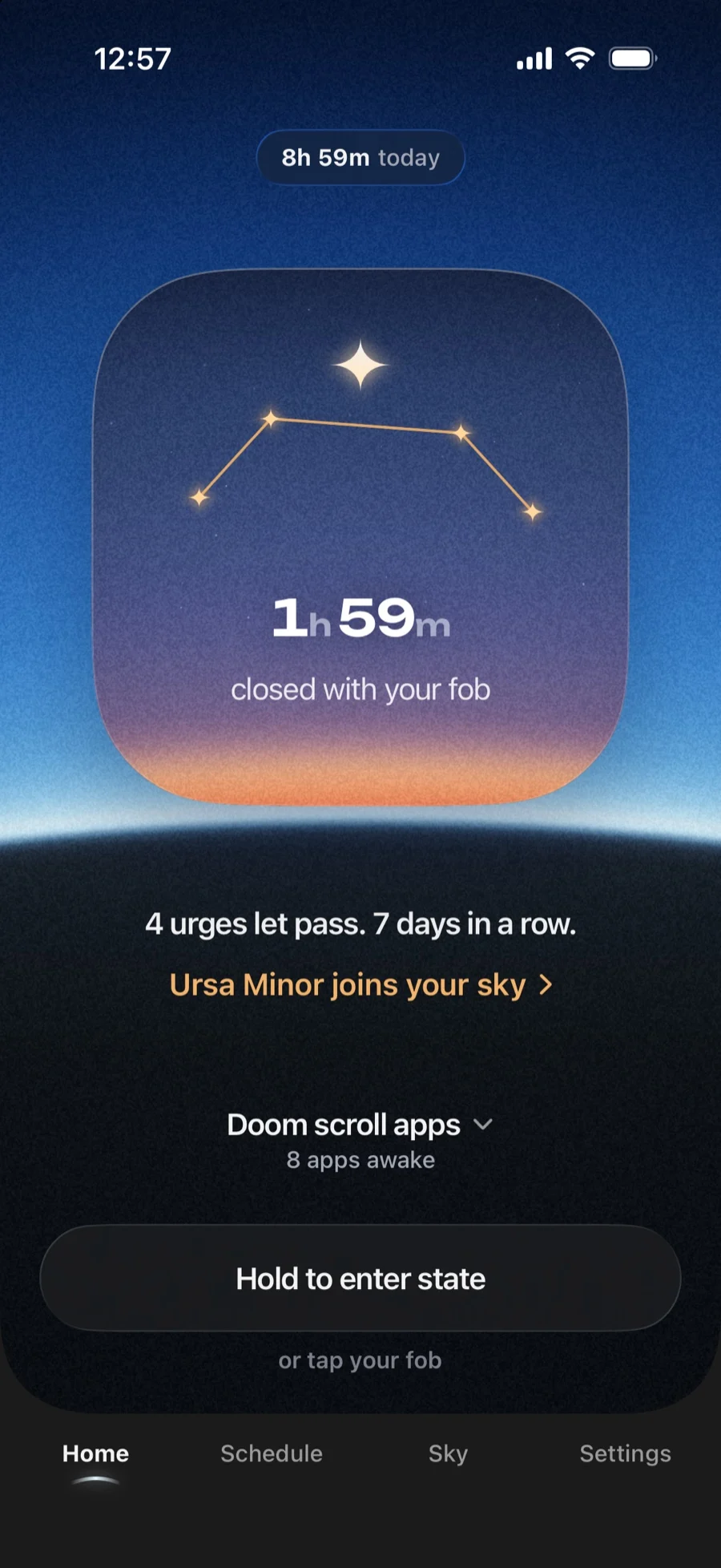
The sky you earn.
Screens are light pollution, so the app treats them that way. Every hour you keep in state clears your night sky, from orange city glow to the Milky Way.
No points. No badges. Just more stars.
Dark sky
Every star is a day you can prove.
A day only counts when your key closes the session, and your key is checked by our server. There's nothing to fake.
Seven days in a row draws the Little Dipper. Its last star is Polaris, the one you steer by.
Seven constellations to earn
- Polaris
- Your first session closed with your key
- Orion's Belt
- 3 days in a row
- Cassiopeia
- 5 sessions in a row closed with your key
- Ursa Minor
- 7 days in a row
- Lyra
- 25 urges let pass
- Cygnus
- 100 daytime hours in state
- Ursa Major
- 30 days in a row
Cassiopeia
Lyra
Tue 62h 40m
Wed 71h 35m
Thu 83h 50m
Fri 91h 15m
Sat 103h 10m
Sun 113h 11m
Today1h 59m
Built so you can't talk your way out.
- Your settings sleep too.
- While you're in state, changing your apps, modes or schedules needs your key.
- Schedules do the holding.
- Keep your evenings in state automatically, from 22:00 to 7:00 on the days you pick.
- Five emergency exits.
- For the real emergencies. When they run out, you ask us for more.
- Locks without a signal.
- Starting a session works offline. Waking your apps checks your key with our server.
We never know which apps.
Apple's Screen Time keeps your choices on your iPhone. Our server only ever sees hours in state and taps of your key.
A key, not another app.
| App blockers | The State Club | |
|---|---|---|
| Turning it off | A tap, on the phone you're trying to put down | A walk to your key |
| When the urge hits | Snooze it, or open the app anyway | Let it pass, and it becomes a star |
| What counts | Time the blocker was switched on | Only sessions your key closed |
| What it costs | Often a monthly subscription | €49, once |
The key.
€49
The app comes with it. No subscription.
- The key: clear acrylic with the night sky inside
- A steel key ring
- A card with the sky over your city on the night you join
Checkout opens soon. Email us to reserve one.
Questions
Something else? Write to legal@thestate.club.
Which iPhones does it work with?
Any iPhone on iOS 17 or later. The State Club is built on Apple's Screen Time, so there's no Android version yet.
What happens in an emergency?
Only the apps you choose fall asleep, so everything else keeps working. If you really need one of them, you have five emergency exits. When they run out, you ask us for more.
What if I lose my key?
Use an emergency exit to wake your apps, then write to us about a new key.
Does it need the internet?
Starting a session works offline. Waking your apps needs a connection, because your key is checked by our server.
Can't I just delete the app?
You can. iOS lets you delete any app, and no blocker can stop that. But a session you escape never closes with your key, so it never earns its stars.
Is there a subscription?
No. You buy the key once, and the app comes with it.
What do you know about me?
Your hours in state and the taps of your key. Never which apps: Apple keeps your choices on your iPhone.